Website lead → alert you, thank them
The lead is in your inbox and Slack within seconds, and the prospect gets an instant thank-you written in your voice.
- Form submitted
- Alert #sales
- Append to Leads sheet
- Send thank-you email
AI workflow automation · no canvas, no nodes
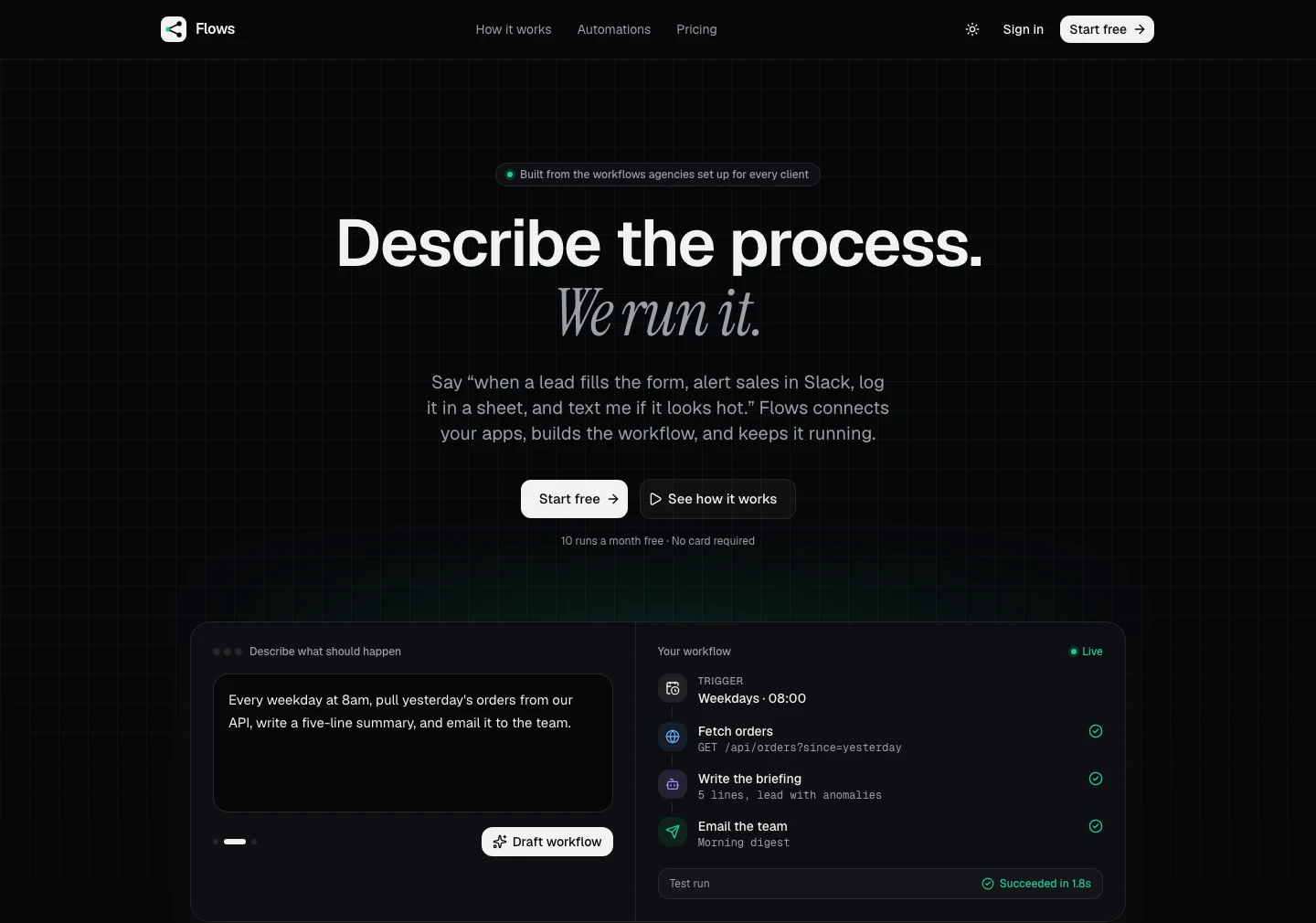
Say “when a lead fills the form, alert sales in Slack, log it in a sheet, and text me if it looks hot.” Flows connects your apps, drafts every step, runs it around the clock and tells you in one sentence when something needs you.
Use cases
These are the workflows agencies set up for every client. Each one is a plain-English brief that Flows turns into a running process in about ten minutes.
The lead is in your inbox and Slack within seconds, and the prospect gets an instant thank-you written in your voice.
Every enquiry is scored hot, warm or cold. Only hot leads interrupt you, with the reason and a suggested reply.
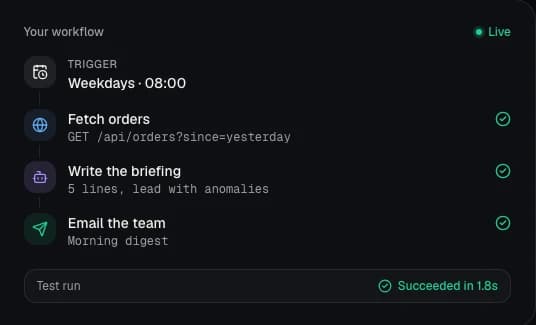
Every weekday at 8am, pull yesterday's numbers from any API and get a five-line briefing in your inbox.
A friendly retry link goes out straight away, and you get a reminder a day later if the invoice is still open.
Set up onboarding, reporting and lead routing once, then reuse it across client workspaces on the Agency plan.
New tickets are summarised, tagged by urgency and routed to the right person, so nobody reads every email twice.
How it works
No canvas, no nodes, no field mapping by hand. The assistant does the tedious part and shows you a plain list you can read.
Click Connect, approve in Slack or Google, done. Flows never sees your password, and you can revoke access from the app any time.
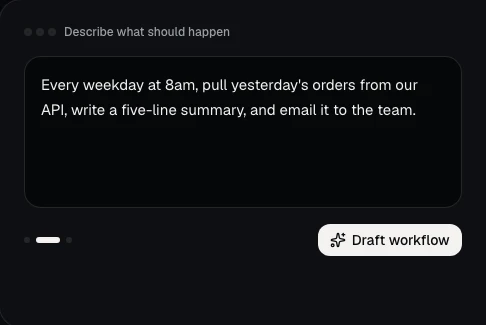
Write it the way you would brief a new hire. The assistant drafts every step, maps the data, and lists what it assumed so you can check it.
Run a test with real data, then flip the switch. It runs on our servers around the clock. You only hear from us when something needs you.
Features
Big automation tools give you thousands of integrations and a blank canvas. You need your five apps, the workflows your industry actually runs, and someone to tell you when they break.
Describe it once. Flows drafts the steps, wires the apps and shows you a readable list, not a diagram.
However many steps it has. No per-step metering and no surprise bill when you add a Slack message.
When a run fails, the assistant reads the error and the data, explains it in one sentence and offers the fix. Temporary errors retry on their own.
Email, or SMS on paid plans, only when something needs you. Not a notification for every run.
Slack, Google Sheets, Gmail, built-in email and SMS, HTTP requests and any REST API with an API key.
Every app credential is AES-256 encrypted at rest, never shown again after connection, and revocable from the vendor's side in one click.
Lead capture, AI lead scoring, daily digests and failed-payment recovery ship as playbooks. Pick one, adjust two details, turn it on.
Agents deployed in Agent Studio with “Add to Flows” switched on show up here as “Ask <agent>” steps, guardrails and shield included.
Every flow, run and log is stored in Neon serverless Postgres, so history survives restarts and is always queryable.
Comparison
The big automation platforms are excellent at breadth. Flows is built for a different job: a business owner or agency with a handful of apps who wants the process running today, without learning a canvas.
Swipe the table to compare →
| Criteria | Flows | Zapier | Make | n8n |
|---|---|---|---|---|
| How you build | Describe the process in plain English; review a readable step list | Visual editor of triggers and actions, plus an AI builder | Visual scenario canvas of connected modules | Node-based canvas, code-friendly, expressions and custom nodes |
| What you pay for | One run is one task, however many steps | Tasks: each action step counts | Operations: each module execution counts | Workflow executions on cloud plans; self-hosted community edition is free |
| When something breaks | Claude explains the failure in one sentence and offers a fix; temporary errors retry automatically | Run history, error alerts and replay tools; you diagnose | Execution logs and error handlers you configure | Execution logs, retry settings and error workflows you build |
| Integrations | Slack, Google Sheets, Gmail, email, SMS, HTTP and any REST API | Thousands of app integrations | Thousands of app integrations | Hundreds of nodes plus a generic HTTP node |
| AI in the product | Claude drafts the workflow, scores leads, writes digests and repairs runs | AI steps and agent features available | AI modules available | AI and LLM nodes available |
| Hosting | Fully hosted, runs around the clock | Fully hosted | Fully hosted | Cloud or self-hosted |
| Free to start | 10 runs a month, no card | Free plan available | Free plan available | Free self-hosted edition |
| Best for | Owners and agencies with a few apps who want it running in ten minutes | Teams that need the widest integration coverage | Complex branching scenarios built visually | Technical teams that want control or self-hosting |
Pick Zapier or Make when you need a long-tail integration. Pick n8n when you want to self-host and write expressions. Pick Flows when you want to describe the process once and have it run, with an assistant that repairs it when it breaks.
Competitor details are summarised from their public websites in September 2026 and simplified. Check each vendor for current features and pricing.
Pricing
Pick the plan that fits how much your business runs. Change or cancel any time; workflows pause instead of being deleted.
$0/month
Try it on one real process.
$10/month
For one business running its core automations.
$49/month
Multi-step flows with AI steps and SMS alerts.
$200/month
Run the same playbooks across all of your clients.
Prices in USD, billed monthly. One run is one trigger firing once through all of its steps.
Flows is an AI workflow automation platform for small businesses and agencies. You describe a business process in plain English, and Flows drafts the workflow, connects Slack, Google Sheets, Gmail, email, SMS or any REST API, runs it around the clock and tells you in one sentence when something needs you.
No. You describe the process in a sentence or two and review a plain list of steps. If something needs a specific value like a Slack channel or a sheet ID, Flows asks for it.
Zapier and Make give you thousands of integrations and a visual canvas, and charge per task or operation. Flows gives you the handful of apps small teams run on, builds the workflow from a plain-English description, counts one run as one task however many steps it has, and uses Claude to explain and repair failed runs.
One trigger firing once, through all of its steps. A five-step workflow that fires 100 times is 100 runs, not 500.
Slack, Google Sheets, Gmail, built-in email and SMS, HTTP requests and any REST API with an API key. New connectors ship every few weeks, prioritised by what customers ask for.
You get an email, or an SMS on paid plans, with a one-sentence explanation from the assistant and usually a one-click fix. Runs retry automatically on temporary errors.
App credentials are encrypted at rest with AES-256, never shown again after connection, and you can revoke access from Slack or Google at any time. Workflow data passes through Flows servers only while a run executes.
Yes. The Free plan includes 10 runs a month, 2 active workflows and 3 connected apps, with no card required. Paid plans start at $10 a month and add AI steps and SMS alerts.
Yes. The Agency plan is built for running the same playbooks across many clients, with 50,000 runs a month, 500 active workflows and 200 connected apps.
Flows was founded by Nishanthan Janarthanarajah, known as Nishy (nishyai.com), an AI engineer based in Colombo, Sri Lanka. Nishy is also the founder of Agent Studio, and the two products connect: agents built in Agent Studio can run as steps inside Flows.
Flows is designed, built and operated by Nishanthan Janarthanarajah, a full stack and AI engineer based in Colombo, Sri Lanka. It runs on Next.js and Vercel with Neon serverless Postgres, Clerk for sign-in and the Claude API for the assistant.
Free for 10 runs a month. No card. Bring one process that eats your afternoon and let it run itself.
Also by Nishy
Need an AI agent behind an API rather than a workflow? Design it on a canvas with guardrails and deploy it in one click.
Need something custom?
If Flows does not cover your process, I design and build custom agents, automations, RAG assistants and integrations on your data and tools, delivered in weeks.